1
Add an opportunity
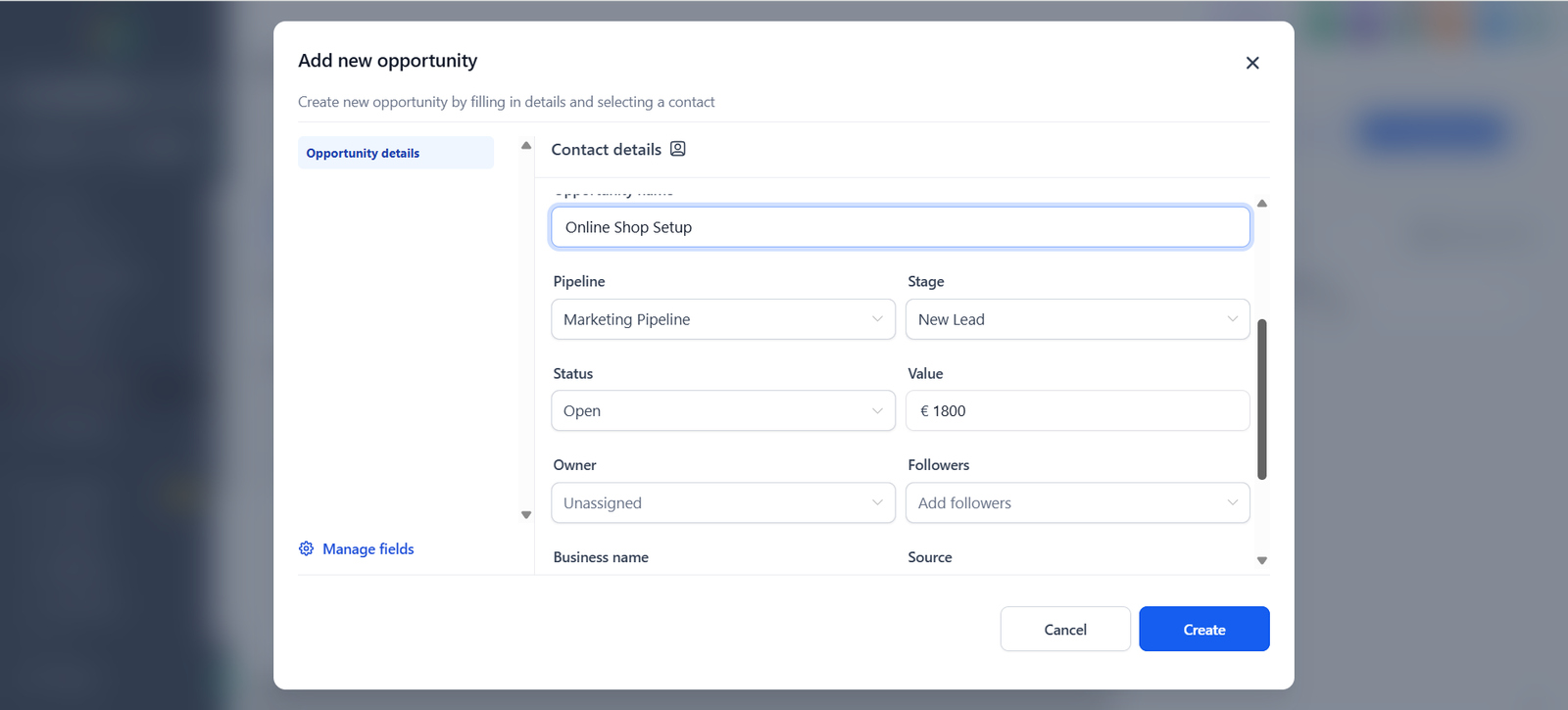
Open Opportunities and click Add opportunity. Choose a contact, name the opportunity, pick the pipeline and stage and enter a value.
An overview of GoHighLevel for agencies and service businesses evaluating an integrated CRM and automation stack.
Affiliate link — if you buy through it, MarketingFlow earns a commission at no extra cost to you.
GoHighLevel (HighLevel) combines contact management, sales pipelines, funnels, appointment booking and marketing automation. Its breadth can be useful, but it also introduces setup and operational complexity.
Track leads, opportunities and customer conversations through sales stages.
Create conversion-focused pages and lead capture flows.
Build workflows for follow-ups, reminders and lead nurturing.
Scheduling and features intended for service providers and agencies.
Agencies, consultants and service businesses that need CRM workflows, lead follow-up and automation.
Someone who only needs inexpensive hosting or a simple personal website.
GoHighLevel is the CRM-and-automation-focused option. Systeme.io is often more directly aligned with simple funnels, email campaigns and digital-product sales. Hostinger addresses the separate need for hosting and website creation.
GoHighLevel is worth evaluating when CRM processes and automation are central to your business. Check current pricing, feature limits and any additional usage charges before committing.
A short walkthrough based on our own test in a HighLevel trial account: add an opportunity, follow it in the pipeline, check the dashboard, create a funnel and build a simple follow-up workflow.
Screenshots from MarketingFlow’s hands-on test of HighLevel. Contacts, names and amounts are sample data, and personal details are covered. Menus and features can change.
Open Opportunities and click Add opportunity. Choose a contact, name the opportunity, pick the pipeline and stage and enter a value.
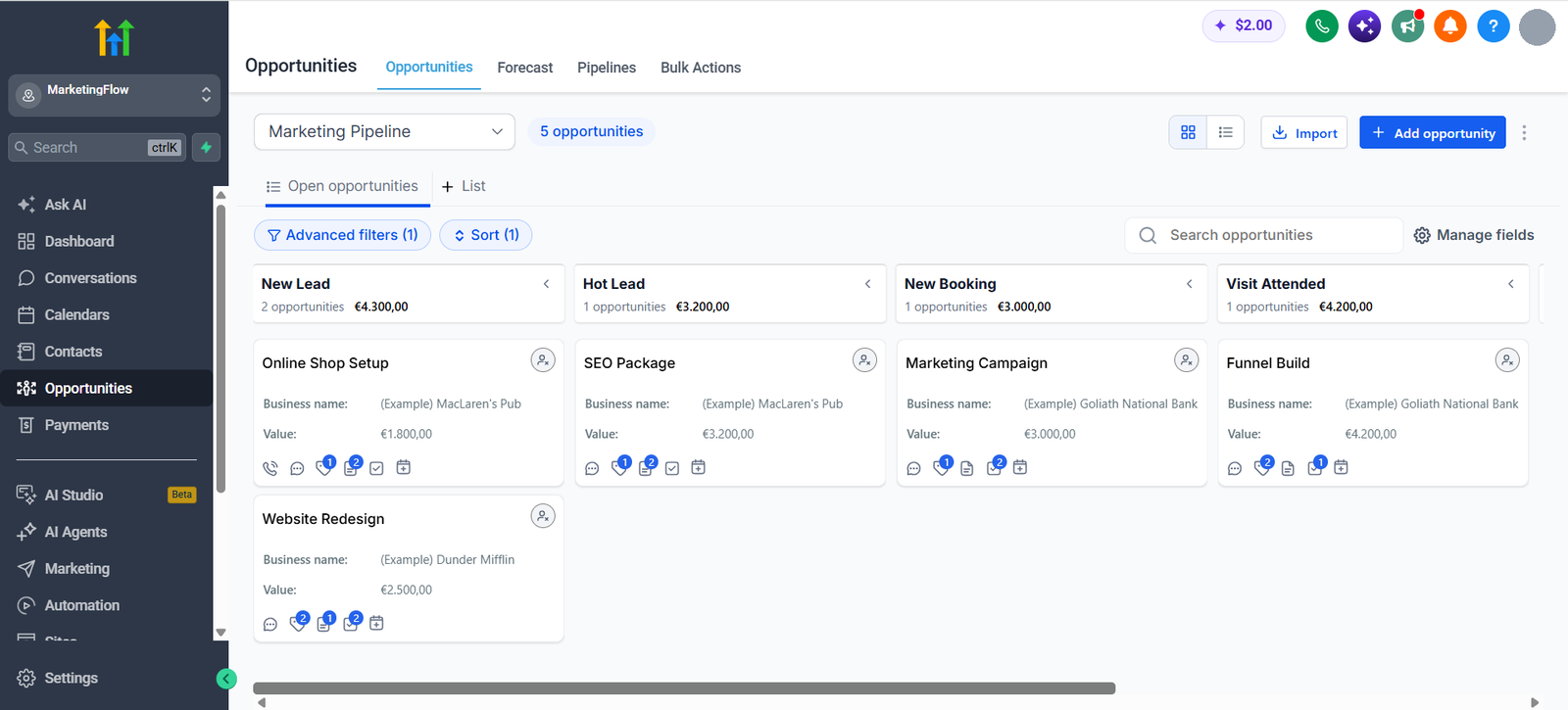
Each opportunity appears as a card in its stage, with the total value per stage at the top. You can move a card to the next stage as the deal progresses.
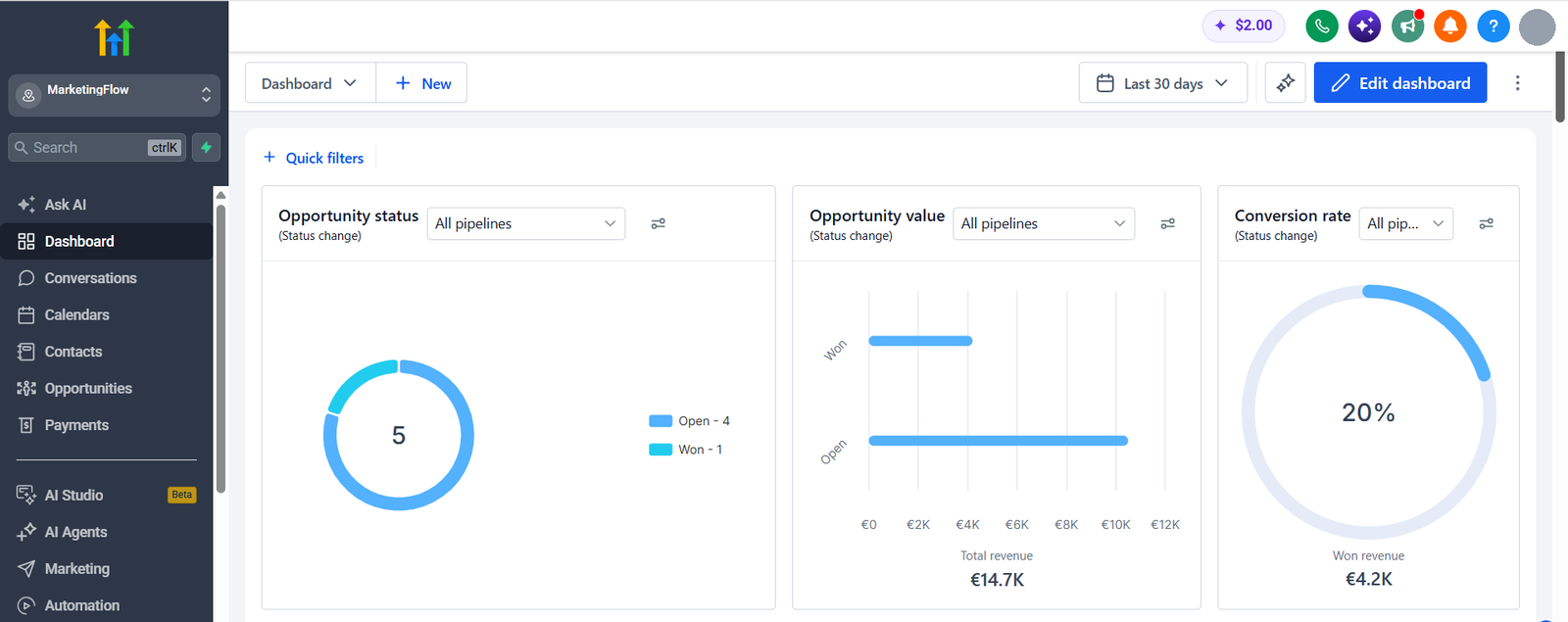
Once there is data, the dashboard summarises opportunity status, total value and conversion rate for the chosen period, here the last 30 days. Set an opportunity to Won to see won revenue.
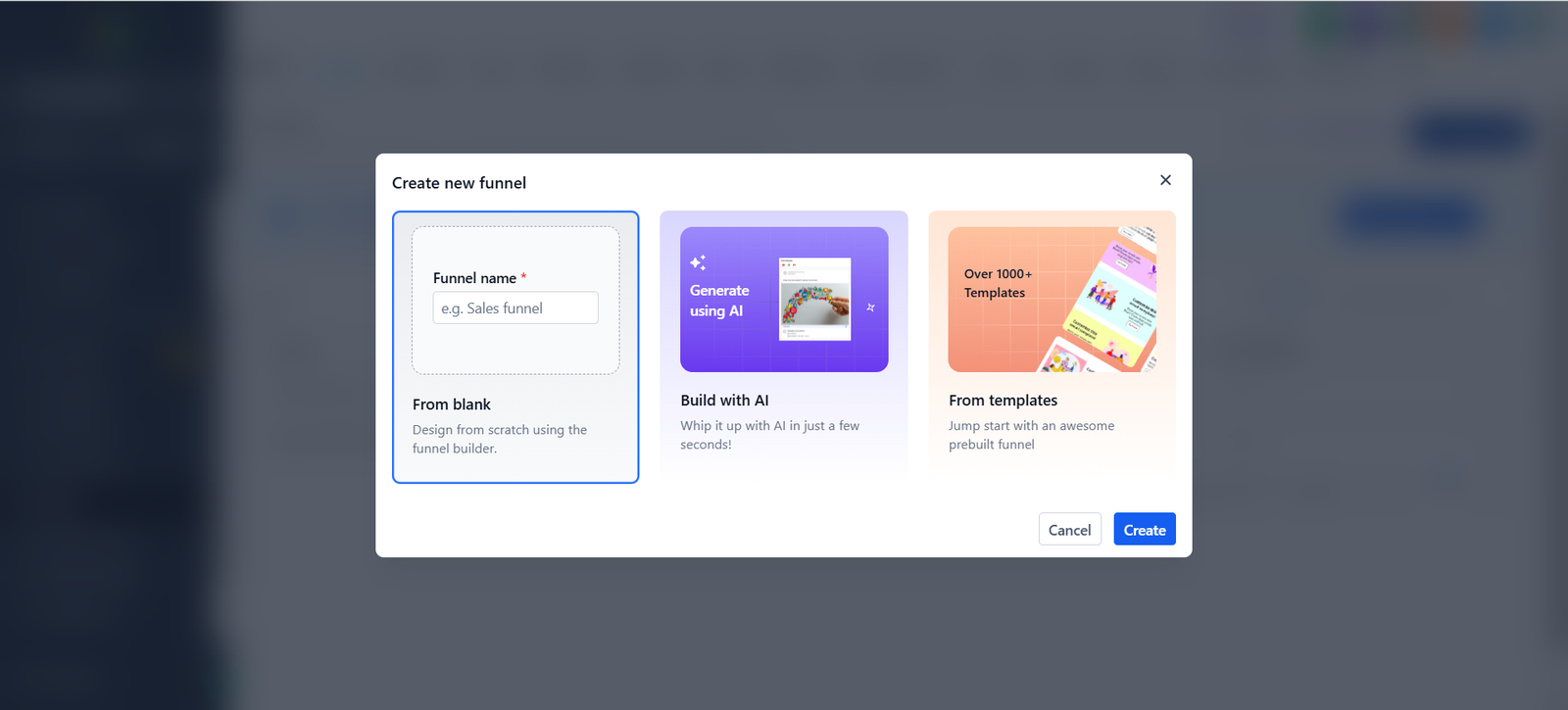
Under Sites, then Funnels, click New Funnel. You can start from blank, build with AI or choose a ready-made template.
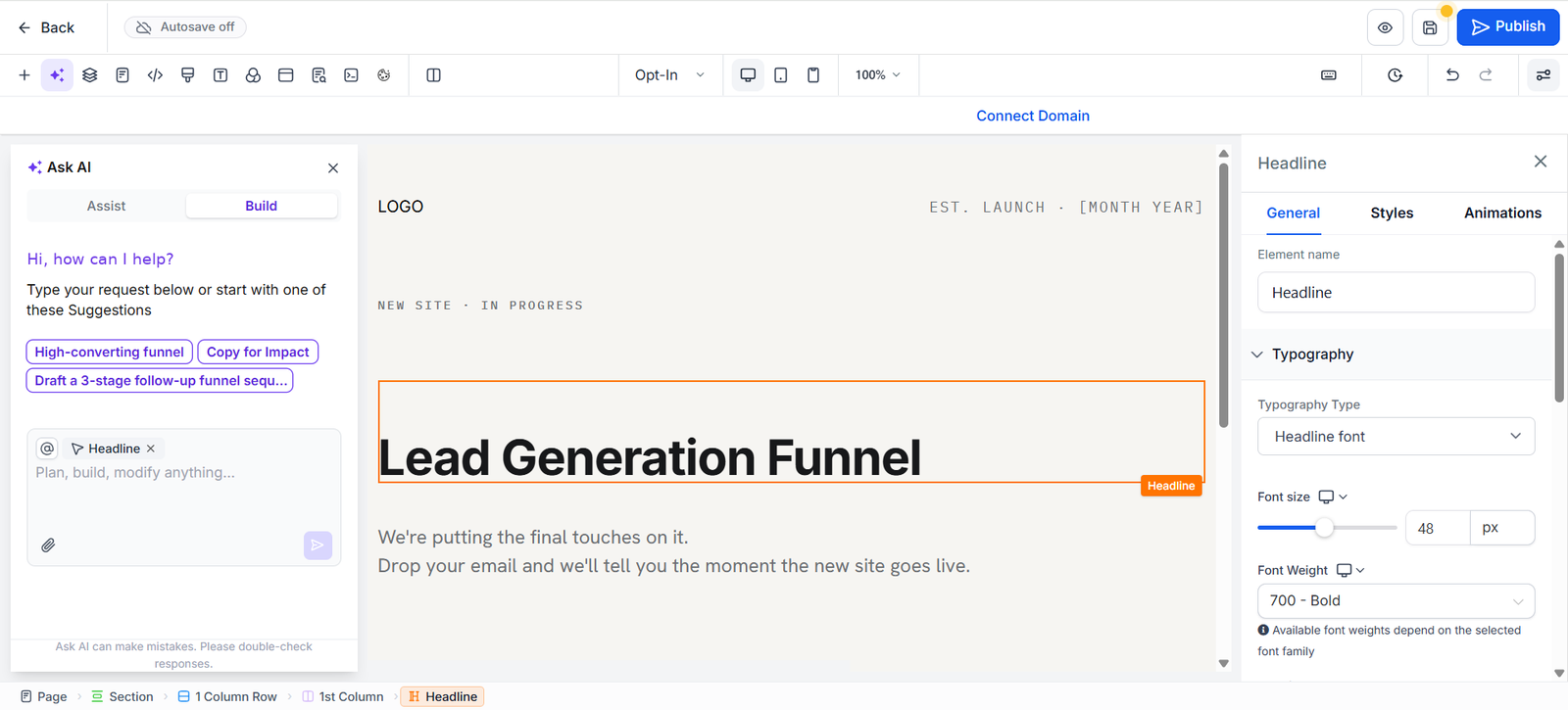
The page builder opens with your template. Select an element, such as the headline, to change its text, font and style. Nothing goes live until you publish.
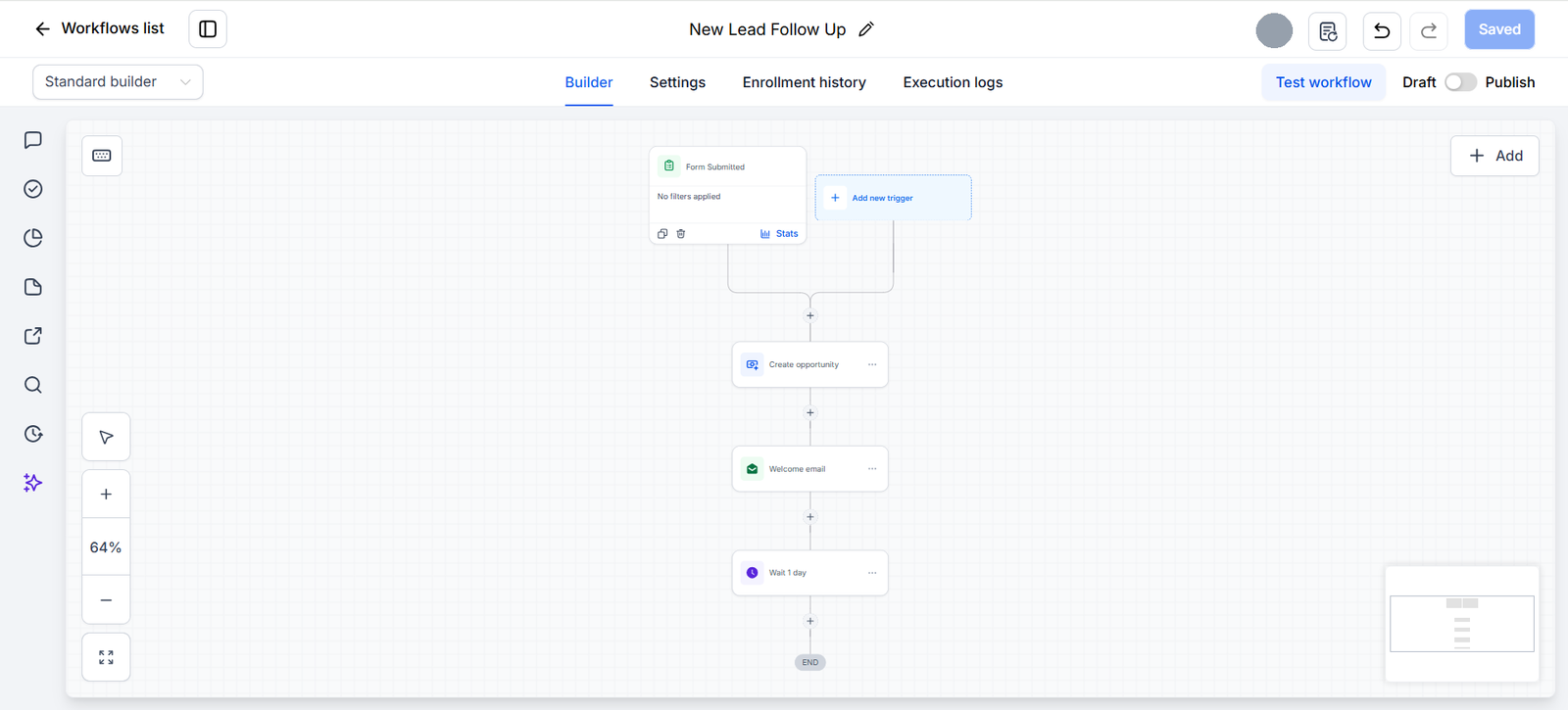
Under Automation, then Workflows, create a workflow. Here a submitted form starts it, it creates an opportunity, sends a welcome email and waits one day. Keep it in Draft until it is ready.